iOS Flutter Mobile App for Chicago Music Vendor
An iOS Flutter app helped Q Music expand from a regional to a US national brand and secure a FIFA 2026 vendor partnership, managing 1,000+ vendors across 36+ locations and 220+ shifts per weekend, with 62+ automation flows saving 253+ hours a month.

Project Overview
Core Platform
Built with Flutter for iOS & Android, featuring a sleek dark theme with gold accent and powered by AirTable backend and technically replacing the Softr PWA. The app provides role-based access (Admin, Client, A/V) with multi-location support for venues managing entertainment across multiple properties.
QMusic Venue App - App Store Download QMusic Venue by QMusic LLC on the App Store. See screenshots, ratings and reviews, user tips, and more games like QMusic Venue.
https://apps.apple.com/app/qmusic-venue/id6755474782
Core Platform The base project link 📊 Dashboard 📅 Calendar 📝 Booking Requests 💬 Messages ⭐ Artist Ratings & Tiers 🏢 Venue Guide 👤 Profile & Account 🔧 Technical Highlights
The base project link
Music Artist Agency - International expansion with AirTable Softr | Notion Key system metrics https://bit.ly/3WAvDDo
📊 Dashboard
TikTok-style Navigation : Vertical swipe between dates, horizontal swipe between artist cards
Artist Cards : Display artist photo, name, position tag (color-coded), performance format (vinyl/band), date/time details
Quick Actions : One-tap "Text Artist" button to open direct messaging
Smart Date Selector : Horizontal scrollable date pills with event indicators
Location Filtering : Filter shifts by venue location from the header
📅 Calendar
Full Month View : Traditional calendar grid with event dots on active dates
Day Timeline : Hourly grid (6AM-midnight) with visual event blocks
Event Overlap Handling : Smart column layout for simultaneous bookings
Quick Booking : Long-press any hour to create a new booking request
Navigation Controls : Jump to "Today", next/previous day, or switch to month view
📝 Booking Requests
Two-Step Booking Flow:
Step 1 - Essentials:
Position selection (venue-specific DJ spots)
Date picker with single-tap selection
Time selector (hour, minute, AM/PM wheels)
Duration slider (customizable gig length)
"Block Off Time" toggle for internal scheduling
Step 2 - Details:
Title of gig (event name)
Client budget field
Guest count
Genre selection (multi-select)
Specific artist booking with search
Unlisted artist text input
Notes field
💬 Messages
Thread List : All conversations organized by recency, grouped by location when multi-venue
Unread Indicators : Visual badges for new messages
Chat Features :
Real-time messaging with optimistic UI updates
Message editing (5-minute window)
Message deletion with confirmation
Copy to clipboard
Pull-to-refresh
New Conversation : Select from upcoming shifts to start messaging artists
Artist Context : View shift details and vendor profile from chat header
⭐ Artist Ratings & Tiers
Post-Gig Rating : 5-star rating system after completed shifts
Rating Notes : Free-text feedback field
Ban Option : Exclude problematic artists from specific locations
Tier Management (per position):
Tier One : "Book Always" - preferred artists
Tier Two : "Solid" - reliable performers
Banned : "Do Not Book" - restricted artists
Multi-Select Dropdowns : Easy tier assignment with artist search
🏢 Venue Guide
General Info Tab:
Venue name, address, city
Contact directory (onsite, A/V, guestlist, marketing, event manager)
Artist policies (comp tab, break policy, guest policy)
Venue details (wifi, clientele, dress code, valet, payment)
Weather thresholds for outdoor positions
Style/Tech Tab:
Position-specific details (gig location within venue)
Equipment specs & notes
Required genres & general vibe
Sample playlist links
Weather dependency flags
Position cover photos
Role-Based Editing:
Admin/Client: Full venue editing
A/V Role: Tech-specific field editing only
👤 Profile & Account
Profile Photo : Camera/gallery upload, remove option
Edit Profile : Update name, email, phone
Security : Password change with validation
Support : Privacy policy link
Danger Zone : Logout, account deletion with confirmation
🔧 Technical Highlights
Cached image loading with memory optimization
Pull-to-refresh across all list views
Smart keyboard handling in forms
Haptic feedback on interactions
Animated slide/fade transitions
Error states with retry actions
Location-based data filtering throughout
Background data refresh with optimistic UI
Project Details
Technology Stack
Processes
- Bespoke platform development
Frequently Asked Questions
Common questions about the iOS Flutter Mobile App for Chicago Music Vendor project.
More Case Studies

Events and Entertainment Company - Full Business Automation
An events and entertainment company automated 100% of its core operations across 7 integrated platforms, delivered in 27 days.

Music Artist Agency - International Expansion with AirTable Softr
Q Music expanded beyond Chicago and Detroit into New York, Miami, and Toronto's competitive Soho House and hotel market to become a US national brand, while saving 153 hours a month across 10 integrated platforms.
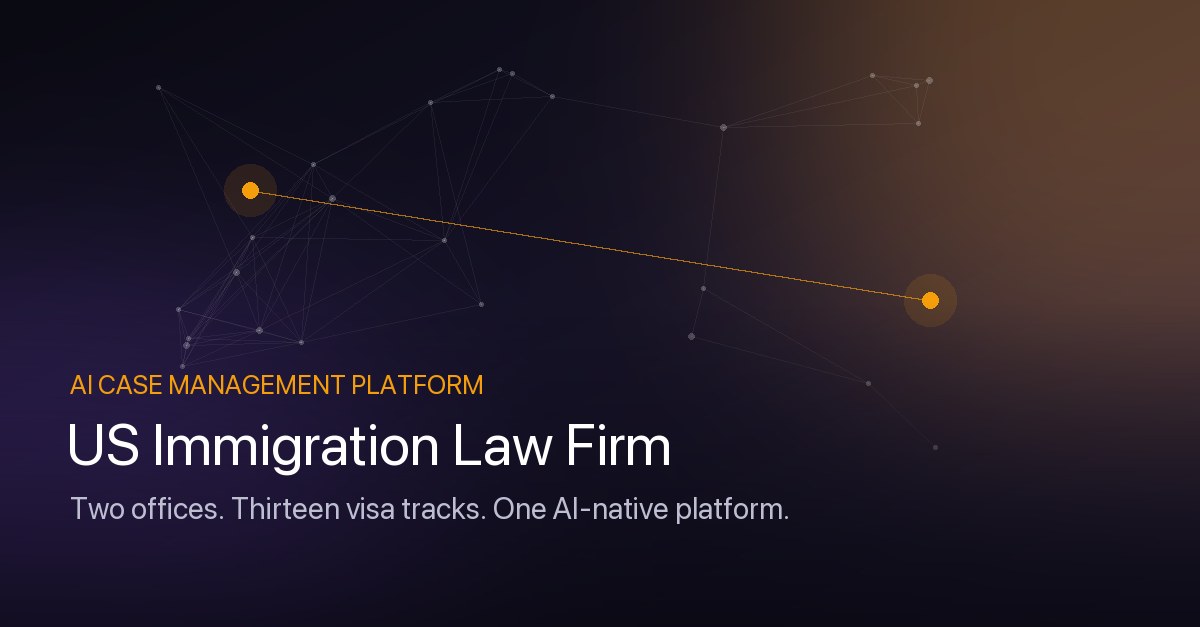
US Immigration Law Firm - AI-Native Case Management Platform
A US immigration law firm — founded in Washington and expanded through the acquisition of a Detroit practice — now runs both offices on a custom AI-native case management platform built by Lanos Logic: a serious contender to ManifestOS, Visalaw.ai, and Docketwise, covering 13 visa tracks with AI document intelligence, drafting, smart intake forms, and USCIS PDF autofill.